
In the fast-paced world of managed service providers (MSPs), downtime isn’t just an inconvenience; it’s a threat to client trust, a drain on resources, and a direct hit to profitability. Every minute a client’s systems are offline translates into lost productivity, frustrated employees, and potentially damaged reputations. As an MSP, your mission is to prevent these disruptions before they even occur, and when they do, to resolve them with lightning speed.
Traditionally, MSPs have relied on separate Customer Relationship Management (CRM) and Remote Monitoring and Management (RMM) tools. CRM systems handle client communication, sales, and support tickets, while RMM platforms monitor client infrastructure, detect issues, and enable remote access for troubleshooting. While both are essential, operating them in silos creates inefficiencies, delays, and blind spots. This fragmented approach makes proactive problem-solving difficult and reactive responses slower, ultimately increasing the risk of downtime.
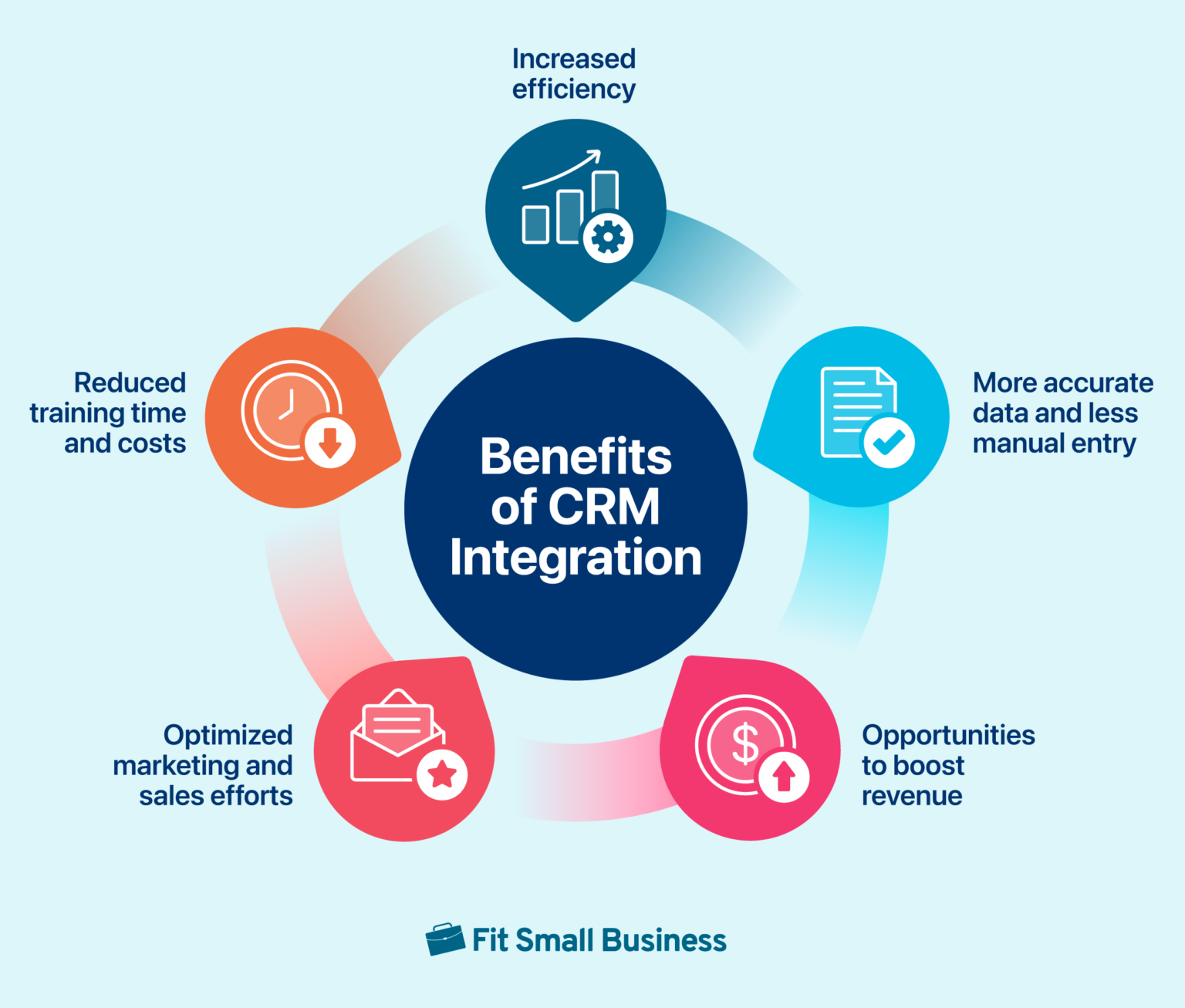
That’s where CRM–RMM integration comes into play. By seamlessly connecting these two critical systems, MSPs can unlock a powerful synergy that streamlines operations, enhances visibility, and significantly reduces client downtime. This article will explore the key benefits of CRM–RMM integration and how it can empower MSPs to deliver superior service, build stronger client relationships, and secure a competitive edge in the market.
Understanding the Disconnected World: CRM vs. RMM
Before diving into the benefits of integration, it’s crucial to understand the individual roles of CRM and RMM and the challenges of using them independently.
Customer Relationship Management (CRM)
CRM systems are the backbone of client interaction. They centralize client information, track communication history, manage sales pipelines, and handle support tickets. For MSPs, a CRM helps manage client onboarding, track service requests, and maintain a complete record of interactions. However, CRMs typically lack real-time visibility into the technical health of a client’s infrastructure.
Remote Monitoring and Management (RMM)
RMM platforms are the technical eyes and ears of an MSP. They continuously monitor servers, networks, and endpoints for performance issues, security threats, and potential failures. RMM tools provide alerts when problems arise, enabling technicians to remotely diagnose and resolve issues. While RMMs excel at technical monitoring, they often lack the context of the client relationship, such as ongoing projects, recent communications, or service level agreements (SLAs).
The Challenges of Siloed Systems
When CRM and RMM systems operate independently, MSPs face several challenges:
- Delayed Response Times: Technicians may be unaware of critical client information when responding to alerts. For example, a server reboot might disrupt a scheduled backup that a salesperson promised the client.
- Lack of Context: Support teams may not have a clear understanding of the technical issues a client is experiencing, leading to miscommunication and inefficient troubleshooting.
- Inefficient Ticket Management: Manually correlating RMM alerts with CRM tickets is time-consuming and prone to errors.
- Proactive Problem Solving is Difficult: Identifying trends and patterns that could lead to future downtime is challenging when data is scattered across multiple systems.
- Reporting Inaccuracies: Generating accurate reports on client health and service performance is difficult without integrated data.
How CRM–RMM Integration Reduces Downtime
By bridging the gap between CRM and RMM, MSPs can overcome these challenges and significantly reduce client downtime. Here’s how:
Real-Time Visibility and Proactive Monitoring
Integration provides a unified view of client information and technical data. When an RMM alert triggers, technicians can instantly access relevant client details from the CRM, such as contact information, service agreements, and recent communications. This context allows them to prioritize issues, understand the potential impact on the client, and respond more effectively. Furthermore, by analyzing historical data from both systems, MSPs can identify patterns and trends that indicate potential problems before they escalate into downtime events. This proactive approach allows for preventative maintenance and timely interventions.
Automated Ticket Management and Streamlined Workflows
CRM–RMM integration automates the process of creating and updating support tickets based on RMM alerts. When an alert is triggered, a ticket is automatically generated in the CRM, pre-populated with relevant information from both systems. This eliminates manual data entry, reduces errors, and ensures that tickets are routed to the appropriate technicians. Integrated workflows can also automate common tasks, such as escalating critical alerts or notifying clients of scheduled maintenance.
Improved Communication and Collaboration
Integration fosters better communication and collaboration between technical and non-technical teams. Sales and support staff can access real-time information about the technical health of their clients, allowing them to provide more informed updates and manage expectations effectively. Technicians can use the CRM to track communication history and ensure that clients are kept informed throughout the troubleshooting process. This improved communication builds trust and strengthens client relationships.
Faster Resolution Times
With access to comprehensive information and automated workflows, technicians can diagnose and resolve issues more quickly. Integration enables them to remotely access client systems, analyze logs, and perform troubleshooting steps directly from the CRM. By eliminating the need to switch between multiple systems and manually gather information, integration significantly reduces resolution times and minimizes the duration of downtime events.
Enhanced Reporting and Analytics
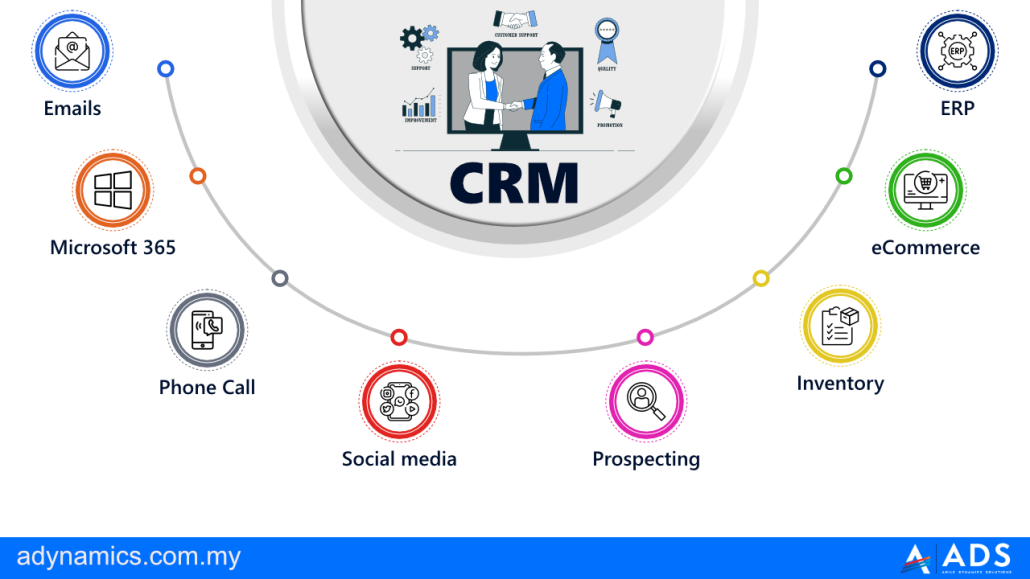
CRM–RMM integration provides a wealth of data that can be used to generate insightful reports and analytics. MSPs can track key performance indicators (KPIs) such as uptime, resolution times, and client satisfaction. They can also identify trends and patterns that indicate areas for improvement. For example, analyzing data from both systems might reveal that a particular type of hardware is prone to failure, allowing the MSP to proactively replace it before it causes downtime. These insights enable MSPs to continuously improve their service delivery and optimize their operations.
Choosing the Right CRM–RMM Integration
Selecting the right CRM–RMM integration is crucial for maximizing its benefits. Here are some factors to consider:. Managing customer interactions efficiently often requires a robust system, and Cloud Based Crm offers a scalable solution for businesses of all sizes
Compatibility
Ensure that the CRM and RMM systems you choose are compatible and offer a seamless integration. Look for vendors that have established partnerships and offer pre-built integrations. Avoid integrations that rely on custom scripting or require significant development effort, as these can be difficult to maintain and support.
Functionality
Evaluate the specific features and capabilities of the integration. Does it provide real-time visibility, automated ticket management, and streamlined workflows? Does it offer the reporting and analytics capabilities you need? Choose an integration that meets your specific requirements and aligns with your business goals.
Scalability
Consider the scalability of the integration. Can it handle your current workload and accommodate future growth? Choose an integration that is designed to scale with your business and can support an increasing number of clients and devices.
Ease of Use
Opt for an integration that is user-friendly and easy to implement. Avoid complex integrations that require extensive training or specialized expertise. A well-designed integration should be intuitive and easy for your team to use.
Vendor Support
Choose vendors that offer excellent support and documentation. Ensure that they have a dedicated support team that can assist you with implementation, troubleshooting, and ongoing maintenance. A reliable vendor can help you get the most out of your CRM–RMM integration.
Real-World Examples of Downtime Reduction
Here are a few examples of how CRM–RMM integration can reduce downtime in real-world scenarios:
- Scenario 1: Server Overload: An RMM alert indicates that a client’s server is experiencing high CPU utilization. With CRM integration, the technician can quickly access the client’s account details and see that they recently launched a new marketing campaign. The technician realizes that the increased traffic from the campaign is overloading the server. They can then proactively scale up the server resources or optimize the website to handle the increased traffic, preventing a potential server crash and downtime.
- Scenario 2: Security Threat: An RMM system detects a potential malware infection on a client’s endpoint. The integrated CRM system shows recent communication with the client regarding a phishing email awareness campaign. Knowing this, the technician can immediately contact the client to verify if they clicked on any suspicious links or downloaded any suspicious attachments. This proactive approach can prevent the malware from spreading and causing widespread downtime.
- Scenario 3: Expiring SSL Certificate: An RMM alert indicates that a client’s SSL certificate is about to expire. The integrated CRM system provides the client’s contact information and service agreement details. The technician can proactively contact the client to renew the certificate before it expires, preventing website downtime and ensuring secure communication.
Conclusion: Investing in Proactive Downtime Prevention
In today’s competitive landscape, downtime is simply unacceptable. Clients expect seamless service and minimal disruptions. CRM–RMM integration is not just a nice-to-have; it’s a necessity for MSPs that want to deliver exceptional service, build strong client relationships, and secure a competitive edge. By investing in integration, MSPs can unlock a powerful synergy that streamlines operations, enhances visibility, and significantly reduces client downtime. This proactive approach not only minimizes disruptions but also builds client trust and strengthens your reputation as a reliable and dependable partner.
The key takeaway is that integrating your CRM and RMM systems isn’t just about efficiency; it’s about actively preventing problems before they impact your clients. This proactive stance translates to happier clients, increased profitability, and a stronger, more resilient MSP business.
Take the time to evaluate your current CRM and RMM systems and explore the integration options available. By making the right investment, you can transform your MSP into a proactive, client-centric organization that consistently delivers exceptional service and minimizes downtime for your clients. Optimizing customer relationships requires a strategic approach, and Enterprises Switching Crm becomes crucial for managing interactions efficiently
Frequently Asked Questions (FAQ) about How CRM-RMM Integration Reduces Downtime for Clients
How does integrating a CRM with an RMM platform help managed service providers (MSPs) proactively identify and resolve potential client IT infrastructure issues before they cause downtime?
Integrating a CRM (Customer Relationship Management) with an RMM (Remote Monitoring and Management) platform empowers MSPs to be far more proactive in preventing client downtime. The RMM constantly monitors the client’s IT infrastructure, collecting data on performance, security threats, and potential failures. This data is then fed into the CRM, providing a unified view of the client’s health. When the RMM detects a potential issue, such as a server nearing capacity or a security vulnerability, an alert is automatically generated. This alert, visible within the CRM, allows the MSP to quickly understand the context of the issue – the affected client, their service level agreement (SLA), and any related tickets or communications. This proactive approach, facilitated by the CRM-RMM integration, enables the MSP to address problems before they escalate into full-blown outages, significantly reducing downtime.
What specific RMM data points pushed into a CRM system allow for faster diagnosis and resolution of client IT problems, ultimately minimizing downtime?
Several key RMM data points, when integrated into a CRM, contribute to faster issue diagnosis and resolution, leading to reduced client downtime. These include: real-time system performance metrics (CPU utilization, memory usage, disk space), network health monitoring (latency, packet loss), security alerts (virus detections, intrusion attempts), patch management status (missing updates, failed installations), and hardware inventory (device age, warranty information). By having this information readily available within the CRM, support staff can quickly identify the root cause of an issue without needing to manually access the RMM platform for each client. This centralized view enables technicians to correlate seemingly unrelated events, anticipate potential problems, and implement targeted solutions faster. For example, a spike in CPU usage combined with a failed patch update can indicate a malware infection, allowing for immediate remediation and preventing widespread downtime. Understanding these trends is crucial, The best CRM software in 2025 because businesses will need to adapt their strategies accordingly
.
How does CRM and RMM integration improve communication and collaboration between sales, support, and technical teams, contributing to faster response times and less downtime for clients experiencing IT issues?
CRM-RMM integration fosters improved communication and collaboration across internal teams, leading to quicker response times and reduced client downtime. A unified platform centralizes client information, eliminating data silos. Sales teams gain visibility into client IT health, enabling them to proactively offer upgrades or solutions based on RMM data. Support teams access comprehensive client profiles within the CRM, including RMM-generated alerts, historical tickets, and service agreements. This allows them to understand the client’s environment and prioritize support requests effectively. Technical teams benefit from streamlined workflows, automating ticket creation based on RMM alerts and facilitating efficient issue resolution. The integration enables seamless handoffs between teams, ensuring that critical information is shared and no time is wasted. For example, a sales representative can alert the support team about an upcoming client demo if the RMM shows potential server instability, ensuring a smooth and successful presentation and preventing potential downtime during a crucial sales opportunity. The improved efficiency from streamlining operations is just one benefit, as Driven Crm Enhances overall business performance and customer satisfaction