
In the fast-paced world of Managed Service Providers (MSPs), time is money, and efficiency is paramount. The ability to quickly identify, diagnose, and resolve IT issues is the cornerstone of a successful MSP business. Remote Monitoring and Management (RMM) tools are the backbone of this operation, constantly scanning client networks and infrastructure for potential problems. However, an RMM tool is only as effective as the data that feeds it and the processes that guide its response.
While RMM tools excel at generating alerts, the sheer volume of these alerts can quickly overwhelm technicians, leading to alert fatigue and delayed resolution times. This is where Customer Relationship Management (CRM) data steps in as a crucial, often overlooked, component. By integrating CRM information with RMM systems, MSPs can significantly enhance their alert resolution speed and overall operational efficiency. This integration provides technicians with the context they need to prioritize alerts, understand the potential impact of an issue, and ultimately resolve it faster.
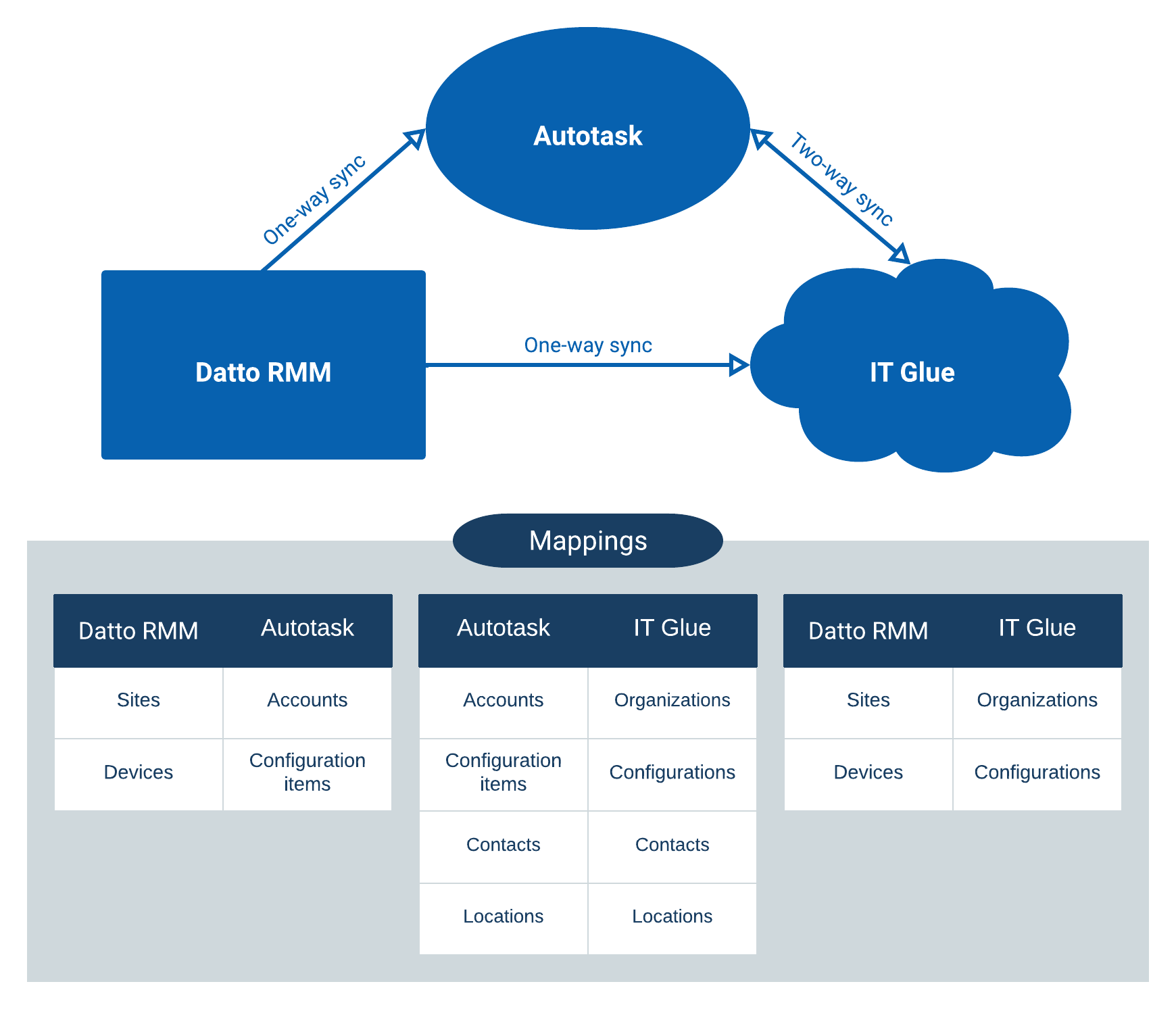
This article will delve into the intricate link between CRM data and RMM alert resolution speed, exploring how specific CRM data points can be leveraged to improve alert prioritization, reduce resolution times, and enhance client satisfaction. We will examine the practical benefits of CRM–RMM integration, the types of data that are most valuable, and the strategies for effectively implementing this integration within your MSP business. Ultimately, understanding and leveraging this connection can transform your MSP from reactive firefighting to proactive problem-solving, leading to a more profitable and sustainable business model.
Understanding the Roles of CRM and RMM
Before we dive into the synergy between CRM and RMM, it’s essential to understand the individual roles each plays within an MSP‘s ecosystem.
What is CRM?
Customer Relationship Management (CRM) is a system designed to manage and analyze customer interactions and data throughout the customer lifecycle. It aims to improve business relationships, assist in customer retention, and drive sales growth. For MSPs, a CRM typically stores information such as:
- Client Details: Company name, address, contact information, industry, and size.
- Service Agreements: Details of the services provided, Service Level Agreements (SLAs), and contract terms.
- Client History: Past support tickets, communications, sales interactions, and project details.
- Account Health: A measure of the client’s satisfaction, potential risks, and opportunities for upselling or cross-selling.
- Key Contacts: Information about specific individuals within the client organization, their roles, and their technical expertise.
What is RMM?
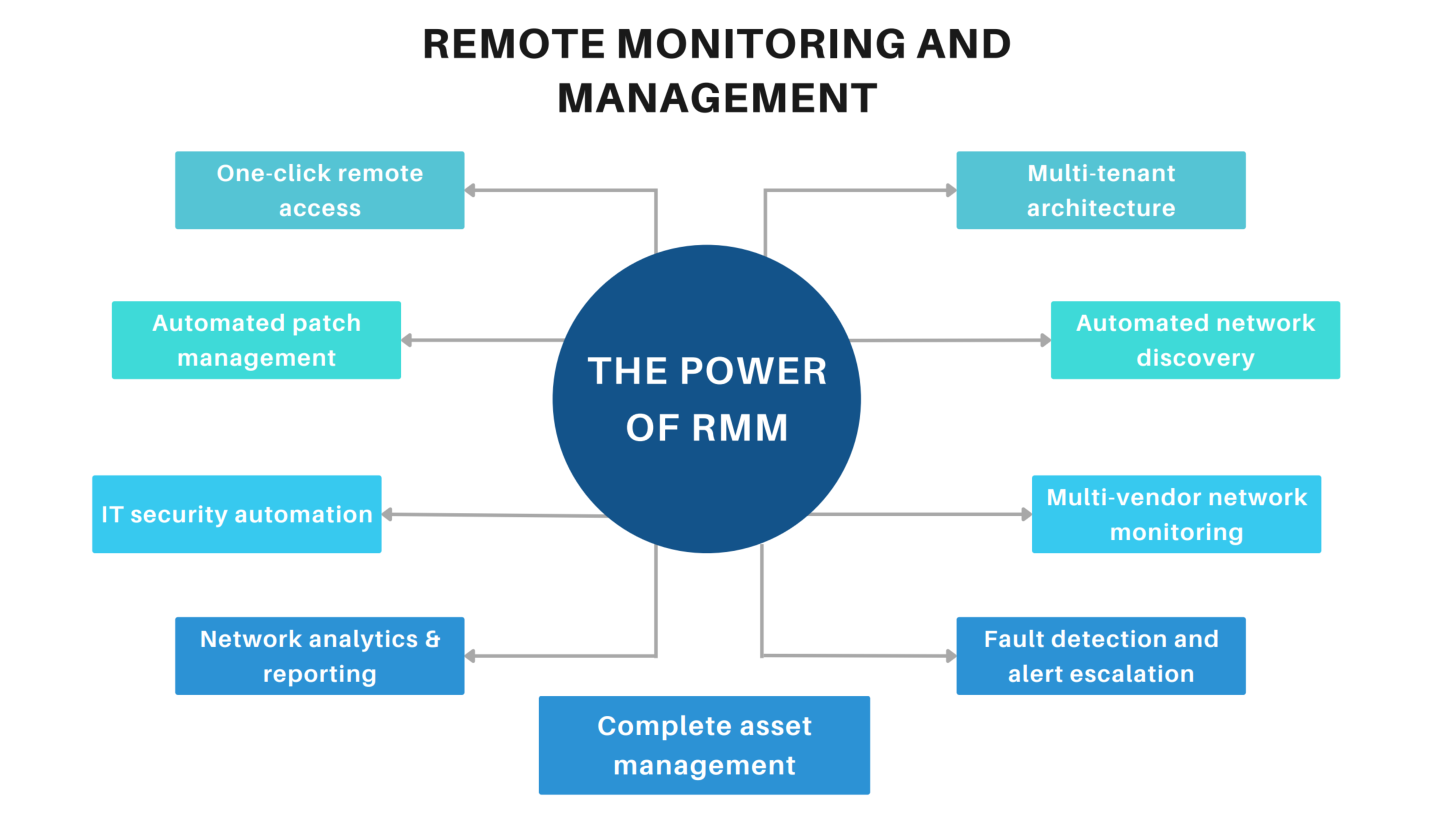
Remote Monitoring and Management (RMM) is a software platform used by MSPs to remotely monitor client networks, servers, and endpoints. It provides real-time visibility into the health and performance of IT infrastructure, enabling proactive detection and resolution of issues. Key features of an RMM include:
- Remote Monitoring: Continuous monitoring of system resources, services, and applications.
- Alerting: Generation of alerts when predefined thresholds are breached or issues are detected.
- Patch Management: Automated deployment of software updates and security patches.
- Remote Access: Secure remote access to client devices for troubleshooting and maintenance.
- Automation: Automated tasks and scripts to remediate common issues.
- Reporting: Generation of reports on system performance, security, and compliance.
The Disconnect: Why RMM Alerts Alone Aren’t Enough
While RMM tools are invaluable for detecting problems, they often lack the contextual information needed to prioritize and resolve alerts effectively. Consider these scenarios:
- Scenario 1: An RMM generates an alert that a server’s CPU utilization is consistently high. Without CRM data, a technician might treat this as a routine issue. However, if the CRM data reveals that this server hosts a critical application for a high-value client with a strict SLA, the alert should be prioritized immediately.
- Scenario 2: An RMM detects a potential security vulnerability on a client’s workstation. Without CRM data, the technician might address it based on the severity of the vulnerability alone. However, if the CRM data indicates that this workstation belongs to the CEO of the client company, the security risk is significantly higher, requiring immediate and escalated attention.
- Scenario 3: An RMM flags a slow network connection at a client site. Without CRM context, the technician may follow standard troubleshooting steps. However, if the CRM shows the client recently upgraded their internet plan and is expecting faster speeds, the investigation should focus on ensuring the new configuration is working correctly and meeting expectations.
These examples illustrate how the absence of CRM data can lead to misprioritization, inefficient troubleshooting, and potentially, negative client experiences. Technicians waste time investigating non-critical alerts while critical issues remain unresolved. This ultimately impacts client satisfaction and the MSP‘s profitability. Considering evolving client needs, Future Msp Services will focus on proactive solutions and strategic alignment
How CRM Data Enhances RMM Alert Resolution
Integrating CRM data with RMM systems bridges the information gap, providing technicians with the context they need to make informed decisions and resolve alerts more efficiently. Here’s how:
Improved Alert Prioritization
CRM data allows MSPs to prioritize alerts based on the potential impact on the client’s business. By associating alerts with specific clients, technicians can quickly determine:
- Client Value: High-value clients with strict SLAs should receive priority attention.
- Business Impact: Alerts affecting critical applications or services should be prioritized over those impacting less important systems.
- Recent Changes: Alerts related to recent changes or upgrades should be investigated immediately to ensure stability and functionality.
This allows technicians to focus on the most critical issues first, ensuring that the most important clients and services are protected.
Faster Root Cause Analysis
CRM data provides valuable context that can speed up root cause analysis. For example:
- Client History: Past support tickets and incidents can reveal recurring issues or underlying problems.
- Known Issues: CRM data can document known issues or workarounds for specific clients or systems.
- Contact Information: CRM data provides quick access to client contacts who can provide additional information or assist with troubleshooting.
By leveraging this information, technicians can avoid wasting time on redundant troubleshooting steps and quickly identify the root cause of the issue. To achieve optimal sales performance, a strategic integration of technology is key, where Driven Crm Enhances business operations and customer relationships
Enhanced Communication and Collaboration
CRM data facilitates better communication and collaboration between technicians and clients. Technicians can use CRM data to:
- Personalize Communication: Address clients by name and reference past interactions to build rapport.
- Provide Contextual Updates: Explain the issue in terms that the client understands and relate it to their business needs.
- Track Communication History: Maintain a record of all communication related to the alert, ensuring that everyone is on the same page.
This leads to more effective communication, increased client satisfaction, and reduced resolution times.
Proactive Problem Solving
By analyzing historical data from both CRM and RMM systems, MSPs can identify trends and patterns that indicate potential problems. For example:
- Recurring Issues: Frequent alerts related to a specific client or system may indicate a need for a more permanent solution.
- Performance Degradation: Gradual decline in system performance over time may indicate a need for hardware upgrades or optimization.
- Security Vulnerabilities: Identification of recurring security vulnerabilities may indicate a need for improved security policies or training.
This proactive approach allows MSPs to address potential problems before they impact the client’s business, further enhancing client satisfaction and reducing reactive support efforts.
Key CRM Data Points for RMM Integration
Not all CRM data is equally valuable for RMM integration. Here are some key data points that can significantly impact alert resolution speed:. Having explored the general landscape of customer relationship management, The best CRM software in 2025 will naturally focus on specific solutions poised to lead the market in the coming years
.
- Client Tier/SLA Level: Prioritize alerts based on the client’s service level agreement. Clients with premium SLAs should receive immediate attention.
- Critical Assets: Identify the client’s most critical servers, applications, and network devices. Alerts related to these assets should be prioritized.
- Key Contacts and Escalation Paths: Provide quick access to client contacts who can assist with troubleshooting or authorize changes. Define clear escalation paths for critical issues.
- Business Impact of Services: Understand the business impact of each service provided to the client. Alerts affecting critical business functions should be prioritized.
- Known Issues and Workarounds: Document known issues and workarounds for specific clients or systems. This can significantly reduce troubleshooting time.
- Recent Changes and Projects: Track recent changes and projects implemented for the client. Alerts related to these changes should be investigated immediately.
- Client Satisfaction Scores: Monitor client satisfaction scores to identify clients who may be at risk of churn. Prioritize alerts for these clients to improve their experience.
Implementing CRM–RMM Integration
Implementing CRM–RMM integration requires careful planning and execution. Here are some key steps to consider:
Choose the Right Tools
Select CRM and RMM systems that offer robust integration capabilities. Many leading CRM and RMM vendors offer native integrations or APIs that allow for seamless data exchange. Consider features such as:
- Bi-directional Data Synchronization: Ensure that data is synchronized in both directions between the CRM and RMM systems.
- Customizable Workflows: Allow for customization of workflows to automate alert prioritization and resolution.
- Real-time Data Updates: Provide real-time updates of CRM data within the RMM console.
Define Integration Workflows
Define clear workflows for how CRM data will be used to enhance RMM alert resolution. This includes:
- Alert Prioritization Rules: Define rules for prioritizing alerts based on CRM data, such as client tier, critical assets, and business impact.
- Escalation Procedures: Define clear escalation procedures for critical issues, including who to contact and when.
- Reporting and Analytics: Develop reports and analytics to track the impact of CRM–RMM integration on alert resolution speed and client satisfaction.
Train Your Technicians
Provide comprehensive training to your technicians on how to use the integrated CRM–RMM system. This includes:
- Understanding CRM Data: Explain the importance of CRM data and how it can be used to enhance alert resolution.
- Using the Integrated System: Provide hands-on training on how to access and use CRM data within the RMM console.
- Following Workflows and Procedures: Ensure that technicians understand and follow the defined workflows and procedures for alert prioritization and resolution.
Monitor and Optimize
Continuously monitor the performance of the integrated CRM–RMM system and make adjustments as needed. This includes:. Streamlining workflows and improving data visibility often requires Crm Rmm Integration to connect sales and service operations
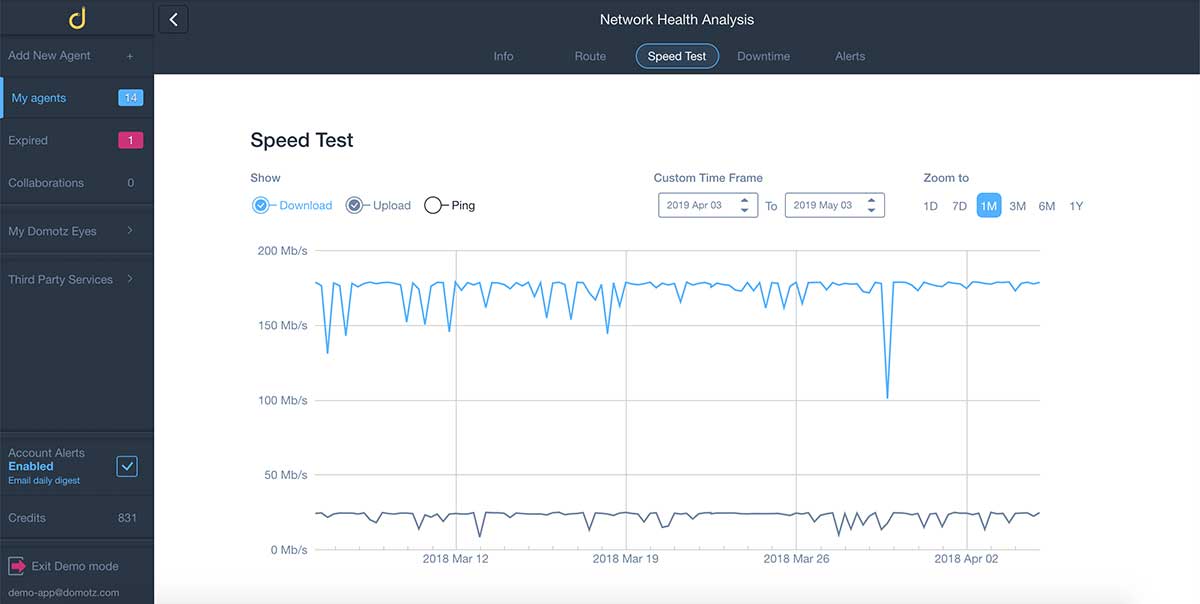
- Tracking Alert Resolution Times: Monitor alert resolution times to identify areas for improvement.
- Gathering Feedback from Technicians: Solicit feedback from technicians on how to improve the integration.
- Analyzing Client Satisfaction: Monitor client satisfaction scores to ensure that the integration is having a positive impact.
The Bottom Line: Faster Resolution, Happier Clients
The link between CRM data and RMM alert resolution speed is undeniable. By integrating these two systems, MSPs can significantly improve their operational efficiency, reduce resolution times, and enhance client satisfaction. The key is to carefully plan and execute the integration, focusing on the most valuable CRM data points and defining clear workflows. With the right tools and training, MSPs can transform their business from reactive firefighting to proactive problem-solving, leading to a more profitable and sustainable future.
Frequently Asked Questions (FAQ) about The Link Between CRM Data and RMM Alert Resolution Speed
How can integrating my CRM system with my RMM platform improve the speed at which I resolve IT alerts for my clients?
Integrating your Customer Relationship Management (CRM) system with your Remote Monitoring and Management (RMM) platform can significantly boost IT alert resolution speed. The key is centralized information. Without integration, technicians often waste time switching between systems to gather necessary context, such as client contact information, service level agreements (SLAs), recent ticket history, and hardware configurations. By automatically linking RMM alerts to relevant CRM records, technicians have immediate access to this vital information. This allows them to quickly assess the alert’s priority, understand the client’s specific needs, and initiate the appropriate resolution steps without delay. This streamlined workflow reduces the time to resolution and improves overall client satisfaction.
What specific client data from my CRM should be accessible within my RMM system to help speed up the resolution of RMM alerts, and why is it important?
Several pieces of client data from your CRM are crucial for accelerating RMM alert resolution. Firstly, contact information (primary contact, technical contact, escalation contacts) is essential for prompt communication. Secondly, service level agreements (SLAs) define response and resolution times, ensuring alerts are addressed according to contractual obligations. Thirdly, asset information (hardware specifications, software licenses, warranty details) helps technicians diagnose issues efficiently. Fourthly, previous ticket history provides context on recurring problems and potential root causes. Finally, account details (industry, business size, specific needs) allow technicians to tailor their approach. Access to this data within the RMM system minimizes the need to search for information, empowers technicians to make informed decisions quickly, and ensures consistent service delivery based on client-specific requirements.
Besides faster resolution times, what other benefits can my managed services provider (MSP) gain from connecting CRM data with RMM alerts, such as improved client communication or increased efficiency?
Beyond faster resolution times, connecting CRM data with RMM alerts offers numerous benefits for MSPs. Improved client communication is a significant advantage. Technicians can personalize their communication based on client-specific information, leading to more effective and empathetic interactions. Increased efficiency is another key benefit. Automated workflows, triggered by RMM alerts and enriched with CRM data, can streamline tasks such as ticket creation, task assignment, and notification routing. This reduces manual effort and frees up technicians to focus on more complex issues. Moreover, the integration enables proactive problem management by identifying recurring issues and trends across clients. This allows MSPs to implement preventative measures, reducing future alerts and improving overall service quality. Finally, it contributes to better reporting and analytics, providing valuable insights into service performance and client satisfaction.